Launching an instance
-
Go to “EC2” dashboard.
[!NOTE]
This is a direct link to “eu-central-1” availability zone. So you might wanna just search it.
-
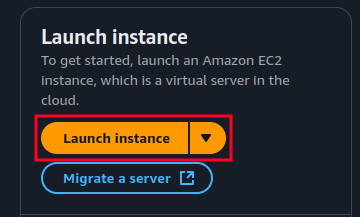
Click on “Launch instance”:
-
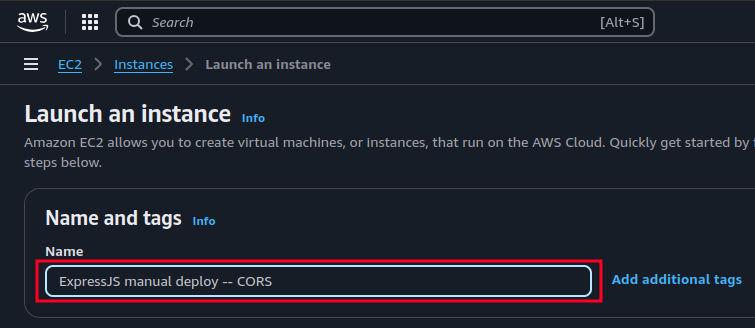
Give it a name:
-
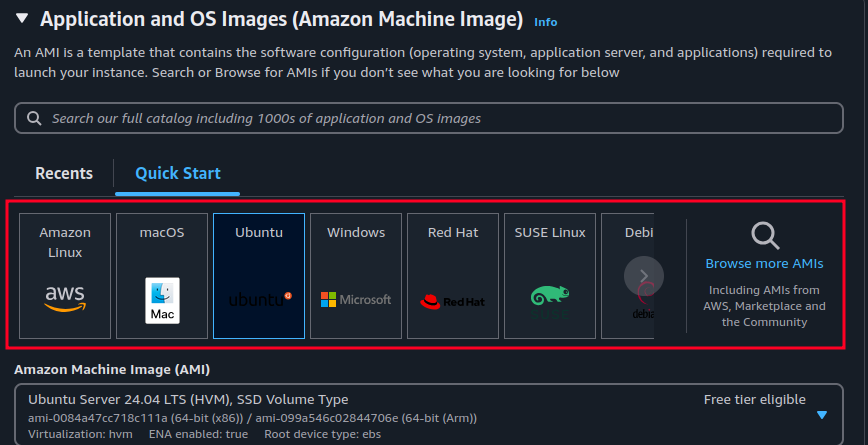
Choose an appropriate OS for your use case, here I am choosing Ubuntu:
-
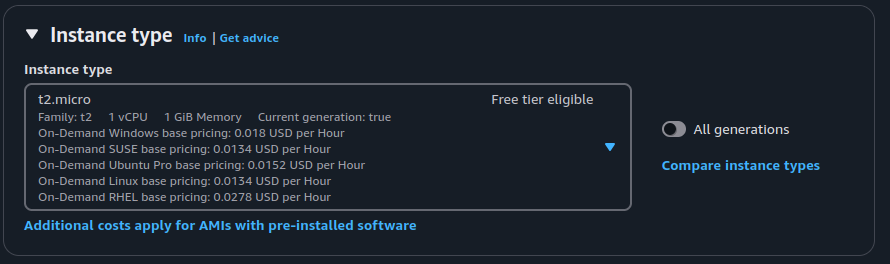
Specify how much resource you need (Instance type), here I choose one that is free.
-
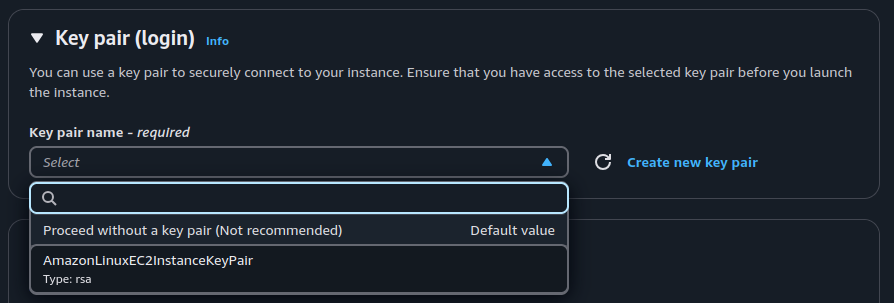
If you wanna be able to connect to your EC2 instance choose/create a key pair, here I’ll use the one that I have created before (“AmazonLinuxEC2InstanceKeyPair”):
-
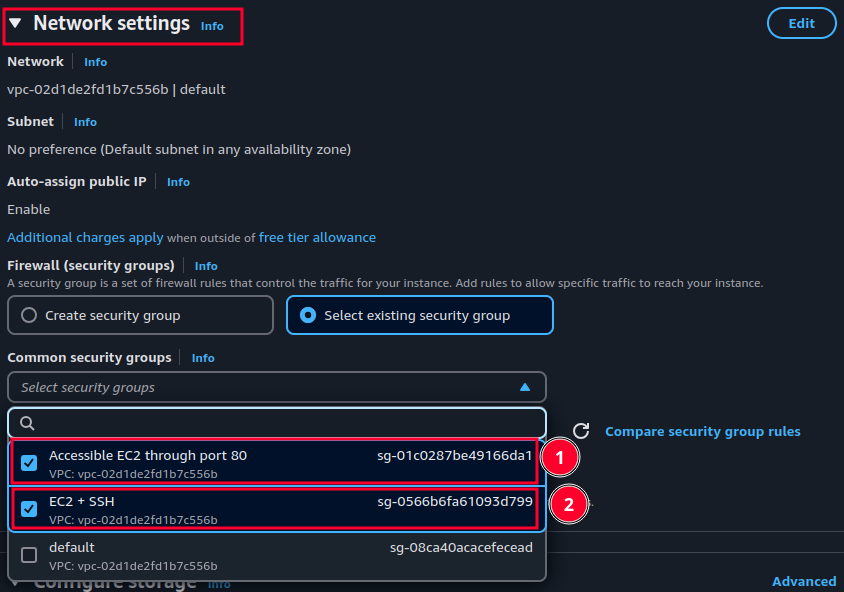
If you specified a key pair in the previous step now you need to also choose/create a security group where SSH and port 80 is open. Thus we can access our EC2 instance. in the network settings section:
[!NOTE]
If you’ve created a new security group you need to add SSH to your inbound rules in “security groups” dashboard.
-
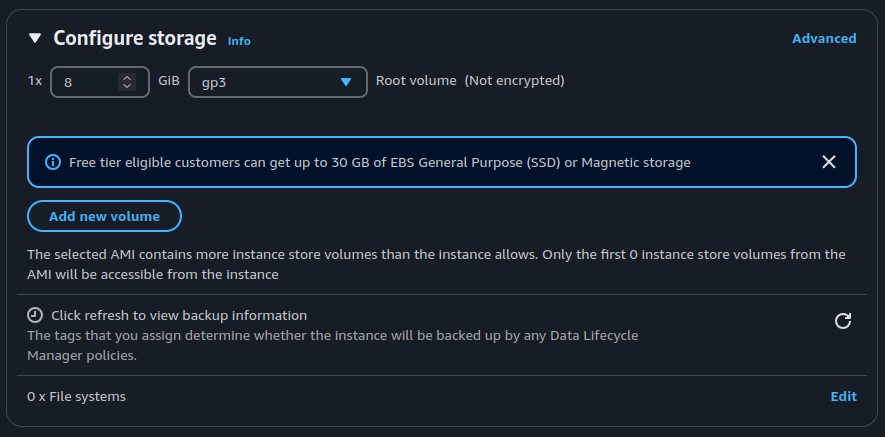
Then you need to configure your EC2 instance’s storage:
-
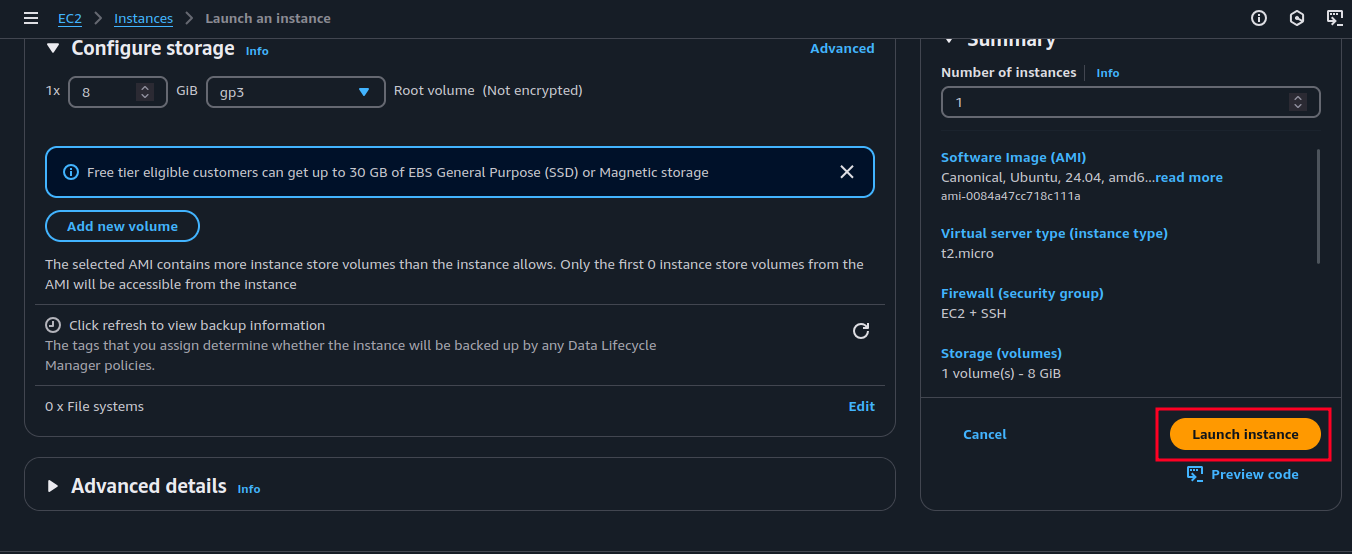
Lastly click on “Launch instance”.
[!NOTE]
We did not change any advance setting here but you can set them to what serves your needs.