EventBridge
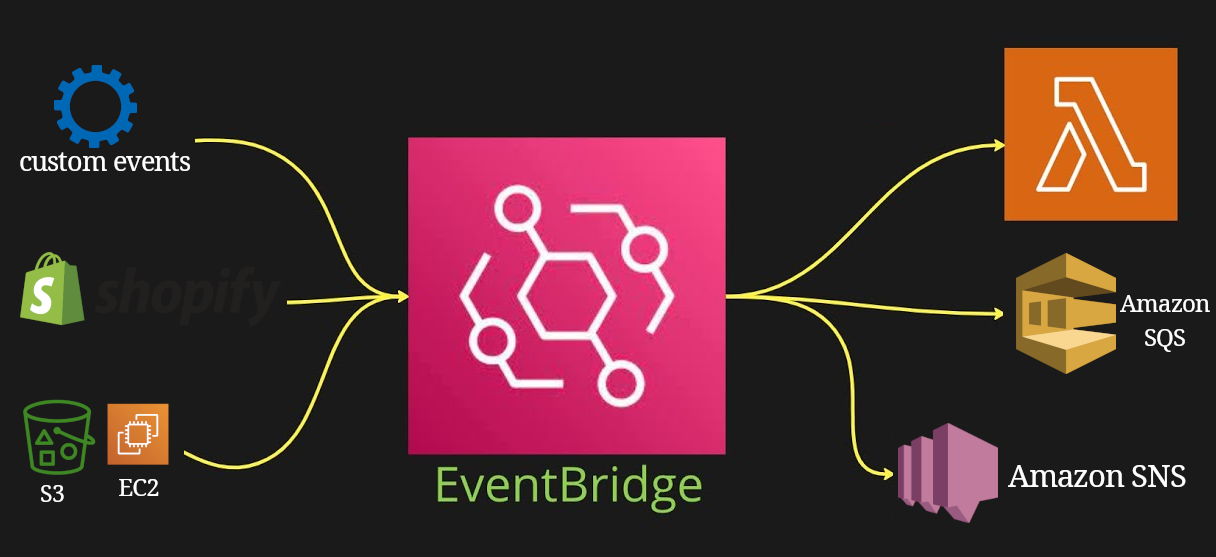
- Enables us to build event-driven architecture apps/solutions.
- React to events happening in AWS.
- E.g. Login with root user in AWS => publish a new message in SNS topic => receive an email.
- Schedule cron jobs.
-
Can receive events from 3rd party sources such as: Shopify, DataDog, …
- Can archive events.
- Can replay events:
- E.g. to make sure that your data is up to date after adding new functionalities.
- Specify <table style="display: inline"><tr><td>which archive to replay events from.</td></tr><tr><td>the start and end time for the event to replay.</td></tr><tr><td>the event bus.</td></tr></table>
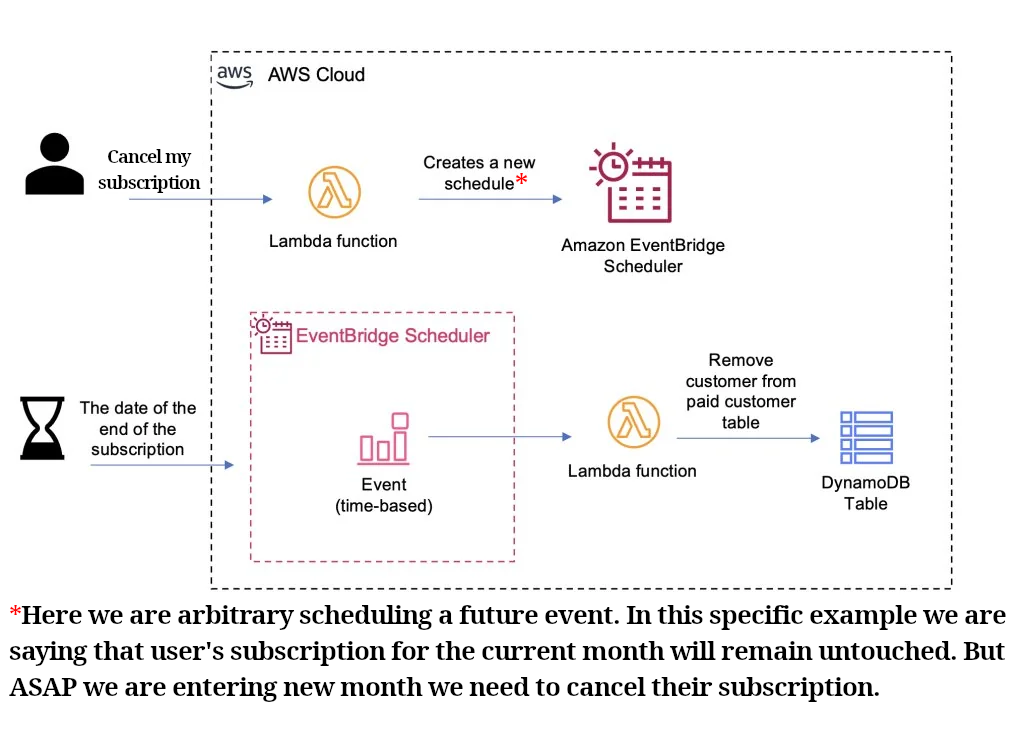
Cancel subscription example
Creating new EventBridge
We have different type of EventBridges. So here is a list of the one that are offered ATM (29.07.2024).
| Type | Description |
|---|---|
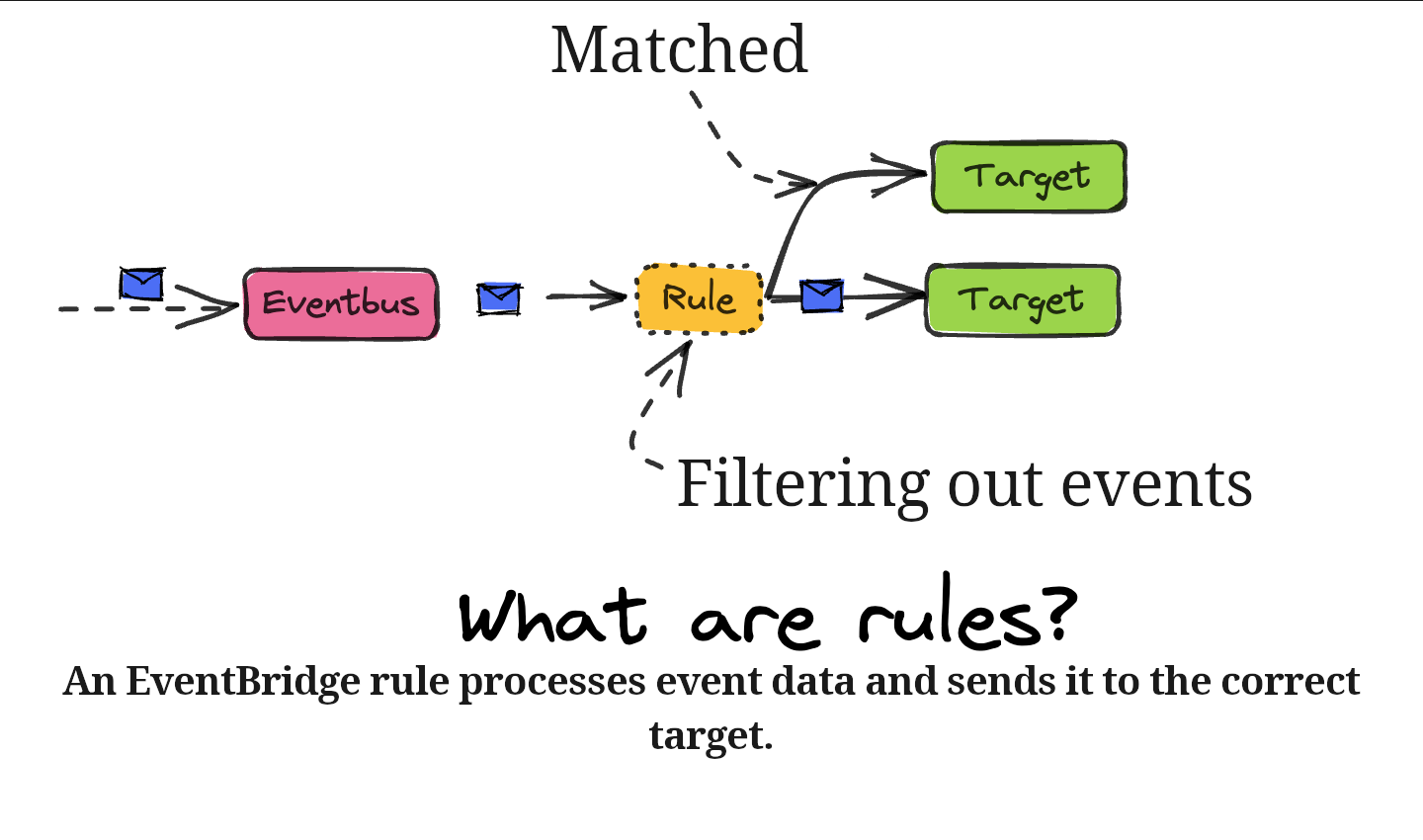
| Rule | Matches incoming events and sends them to targets for processing. |
| Pipe | Connects an event source, to a target, with optional filtering and enrichment. |
| Schedule | Invokes a target<table style="display:inline"><tr><td>one-time.</td></tr><tr><td>at regular intervals defined by a cron or rate expression.</td></tr></table> |
| Schema registry | We can define/discover our events schemas. And then we can organize those who can be grouped together in schema registry. |
EventBridge scheduler
- Scheduling functionality that provides <table style="display:inline"><tr><td>one-time</td></tr><tr><td>recurring</td></tr></table> scheduling functionality independent of Event buses and rules.
-
It understands timezones: meaning that we do not need to deal with different timezones, learn more.
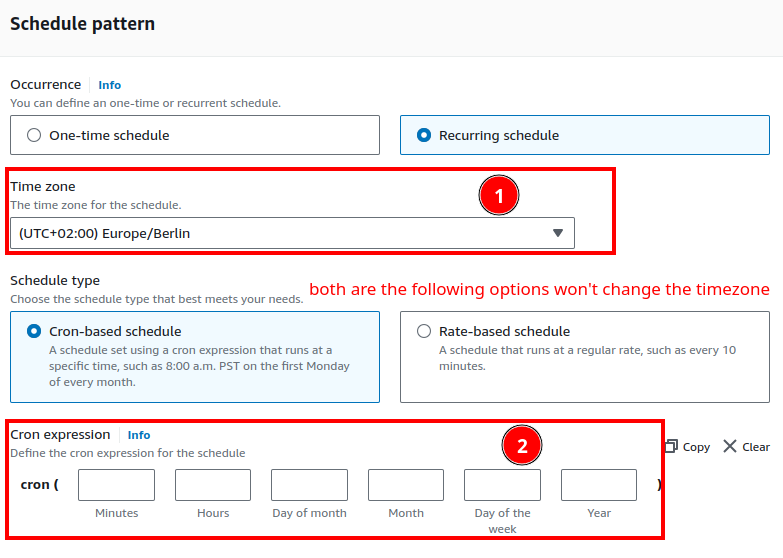
- You can configure even the daylight saving time
EventBridge rule
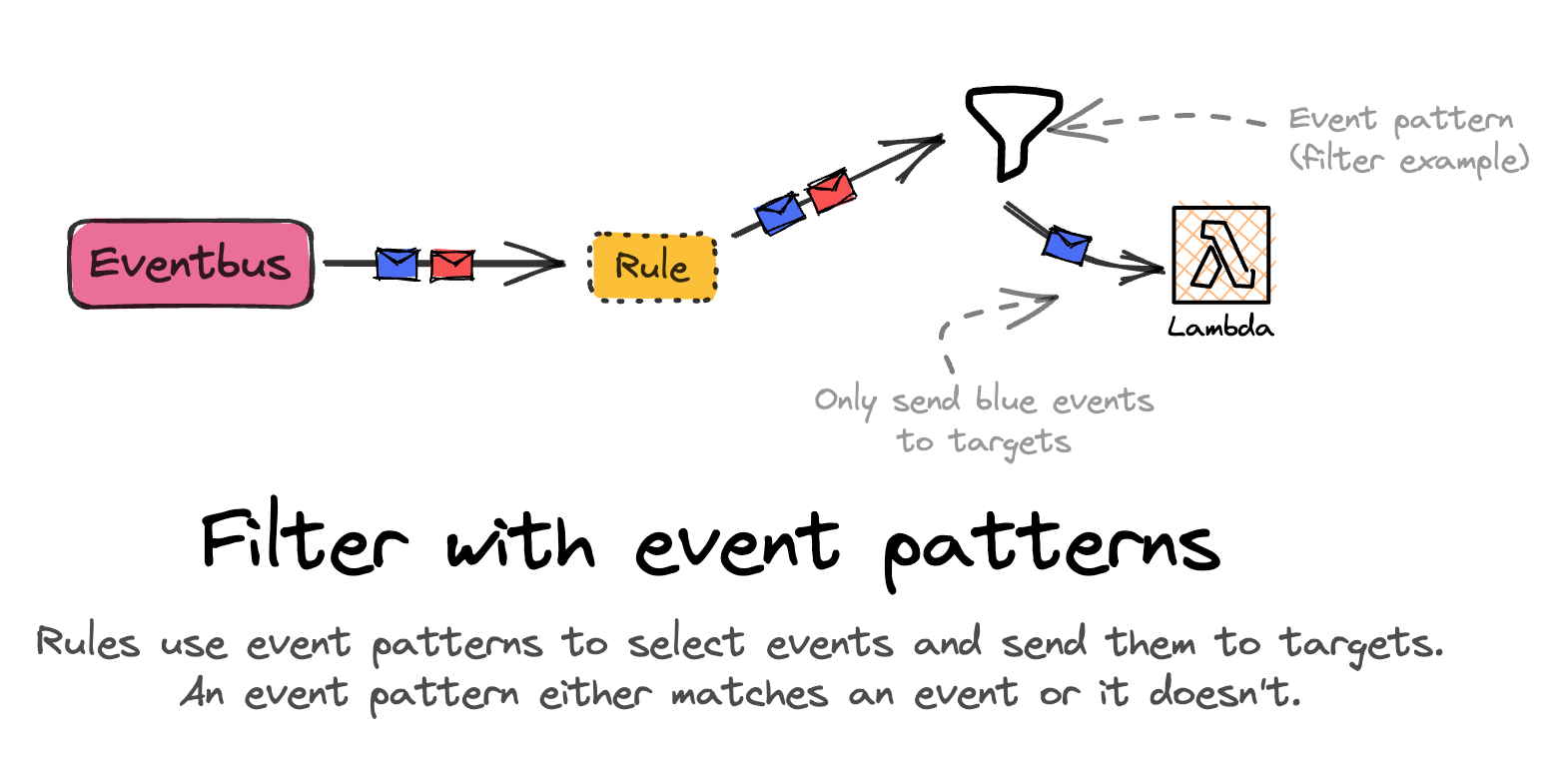
- With this we can define what we wanna happen if something else happened in one of the<table style="display:inline"><tr><td>AWS services.</td></tr><tr><td>EventBridge partners.</td></tr></table>
- Note: you can have as many target as you want.
Rule
Event pattern
When we are creating a new EventBridge rule we need to specify the patterns that should be targeted.