Multipart File Upload in AWS S3
[!CAUTION]
You might get busted by a surprise bill if you miss this.
- Upload a single object as a set of parts.
- Each part is a contiguous portion of the object’s data.
- Upload these object parts independently and in any order.
- Failed to upload one part? retransmit that part without affecting other parts.
When You Should Use Multipart?
When your object size reaches 100 MB, you should consider using multipart uploads instead of uploading the object in a single operation.
Checksums
- Verifies that assets are not altered when they are copied.
- Perform these integrity checks as a durability best practice.
- For supported checksum algorithms look at this part.
[!TIP]
You wanna upload something:
- Use a precalculated checksum.
- Use the full object checksum type.
Checksum Types
- Full object checksums: Calculated based on all of the content of a multipart upload, covering all data from the first byte of the first part to the last byte of the last part.
- Composite checksums: They are being calculated based on each part’s checksums. In other word it is a checksum of checksums as described in the following videos:
- In this step we can specify the checksum algorithm that Amazon S3 should use & the checksum type (full object or composite).
| Checksum algorithm | Full object | Composite |
|---|---|---|
CRC64NVME |
Yes | No |
CRC32 |
Yes | Yes |
CRC32C |
Yes | Yes |
SHA1 |
No | Yes |
SHA256 |
No | Yes |
Full object checksums in multipart uploads are only available for CRC-based checksums because they can linearize into a full object checksum.
- Provide the checksum algorithm for the
MultipartUploadAPI. - No need to track part boundaries for uploaded objects.
[!TIP]
To generate those checksums on your Linux you can simply execute one of these:
shasum -a 256 filename.ext | cut -f1 -d\ | xxd -r -p | base64I still dunno how to generate a CRC32 checksum hash in terminal. So feel free to file an issue and lemme know how I can do it.
How To Use The FULL_OBJECT Checksum Type
- You choose a checksum algorithm when you wanna start uploading your data.
- Calculate the checksum of your file:
- Read the file chunk by chunk and try to upload them, but at the same time you will calculate the checksum. So no need to read the entire file.
- We’re not gonna use the checksum itself, but rather a hash of it as I’ve already explained it here. Feel free to upvote my answer there :).
- Amazon S3 uses that algorithm to compute a checksum on its own servers and validates it with the provided value by you.
- Amazon S3 also stores the checksum as part of the object metadata.
Which Checksum Algorithm Should You Pick?
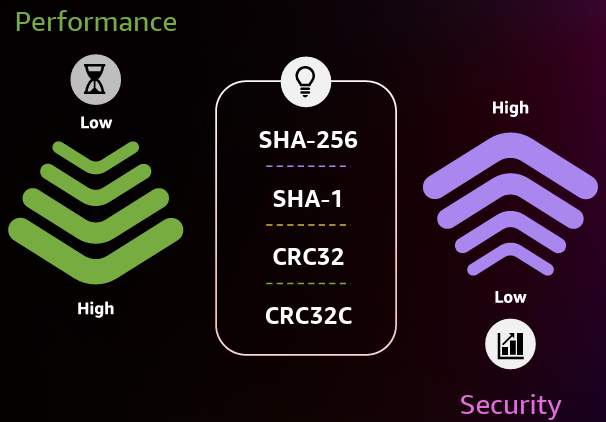
- How costly it is to generate the checksum of the entire file before uploading the file?
- How large is your file?
To answer those questions you should know that:
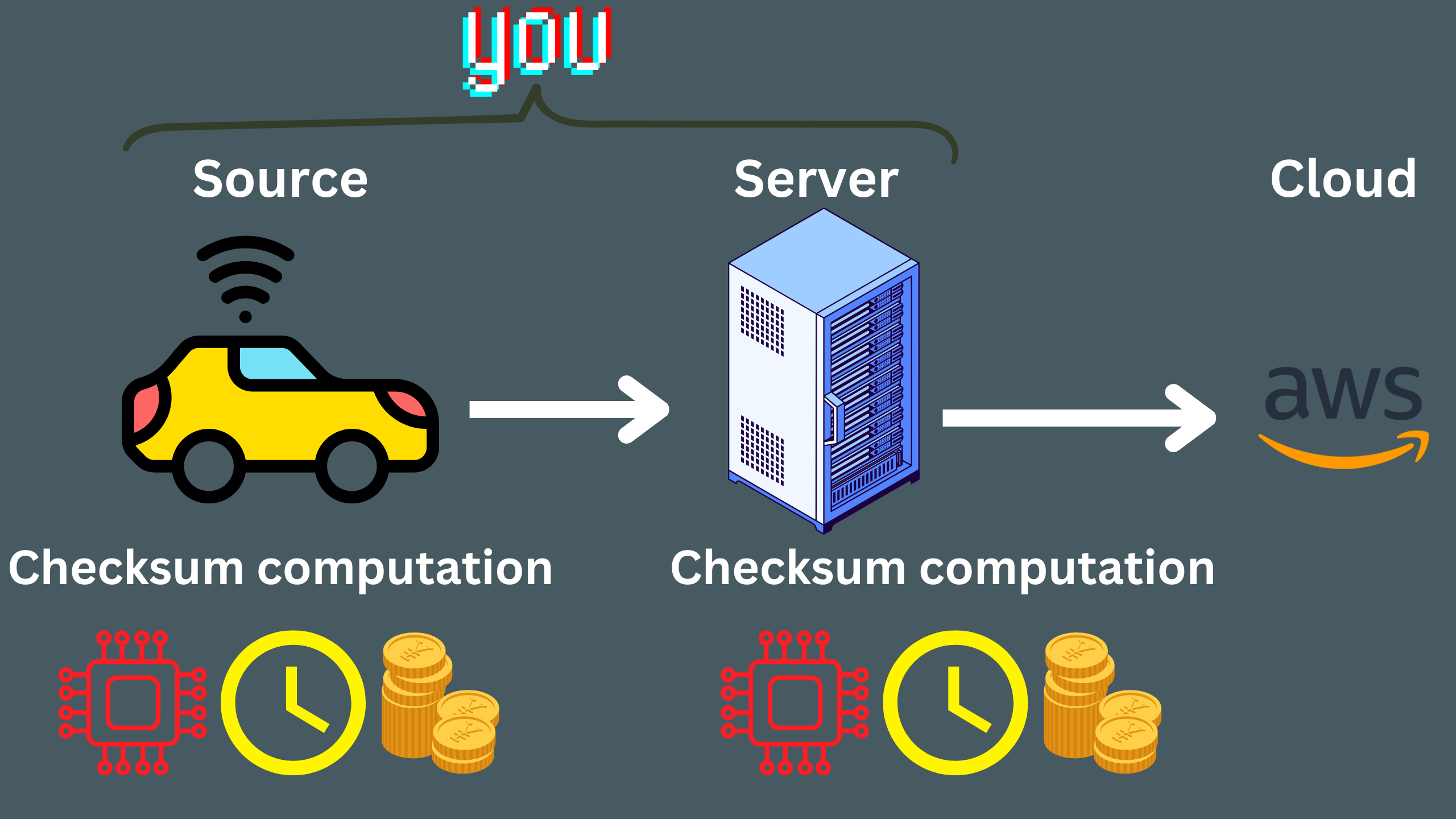
- The larger the file the longer it’s gonna take for you to generate the checksum.
- The larger the file the more computation power it is gonna need to generate the checksum.
- In some instances (read large files, e.g. 1TB) it is not practical to generate a single checksum for the whole file.
This picture I believe is a nice way to visualize it:
[!CAUTION]
There are cases where your client have to have a multipart upload and the file might as well be bigger than 5MB. So you can do it with multipart upload, but now you need to have a single precalculated checksum for the whole file. In this case it is a good idea to have a
FULL_OBJECTchecksum type. For this you only can use CRC-based algorithms.
Process
[!TIP]
See how you can do it in NestJS here. Do not forget to gimme a star :).
-
A CreateMultipartUpload call to start the process.
- CreateMultipartUpload API doc.
- CreateMultipartUploadCommand JavaScript SDK doc.
- In this step we need to specify the checksum algorithm and the full object checksum type. Find more details on that in the next “note”.
-
As many individual UploadPart calls as needed.- General doc: UploadPart.
- JS SDK doc: UploadPartCommand.
- A CompleteMultipartUpload call to complete the process.
- General doc: CompleteMultipartUpload.
- JS SDK doc: CompleteMultipartUploadCommand.
CreateMultipartUploadCommand
- This is the first step.
- Initiates a multipart upload.
- Returns an upload ID.
- Used to associate all of the parts in the specific multipart upload.
- With each UploadPartCommand we will send this ID.
- Used to complete or abort the multipart upload request.
- To stop being charged for storing the uploaded parts, you must either complete or abort the
multipart upload.
[!NOTE]
We can have aborting incomplete multipart uploads using a bucket lifecycle configuration (learn more here).
Call UploadPartCommand n Times
- Provide new data as a part of an object in your request.
- We SHOULD pass a part number with each request.
- Any number from 1 to 10,000, inclusive.
- It indicates the part’s position within the object which will be eventually created if we complete the multipart upload.
- AWS will overwrite the part if the part number has already been uploaded for that upload ID.
- Each part should not exceed the amount specified by the AWS S3 max part size (ref).
CompleteMultipartUploadCommand or AbortMultipartUploadCommand
- And finally we need to confirm the file upload.