Subscription
- In GraphQL you can:
- Fetch data using
Queryoperation type. - Modify/insert data using
Mutationoperation type.
- Fetch data using
- But if you need to push data from the server to the clients, that choose to listen to real time messages from the server, you need to use
Subscriptionoperation type. - More complex to implement, so first make sure that you need it.
- Subscription: long-lasting GraphQL read operations that can update their result whenever a particular server-side event occurs.
- Done through the WebSocket protocol.
How Subscription operation type works
- They’re similar to
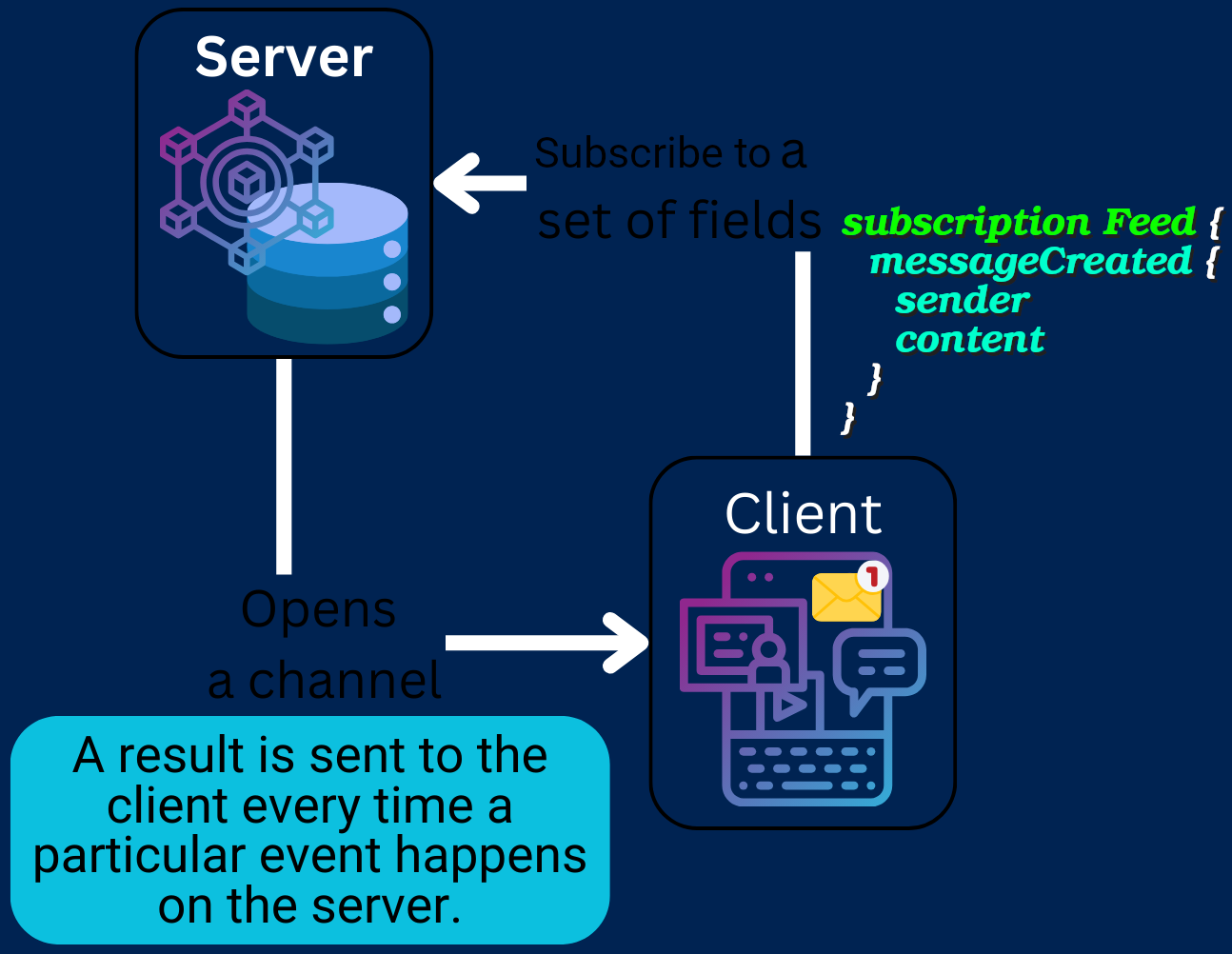
queryoperation types. - It defines top-level fields that clients can subscribe to:
type Subscription { # messageCreated field will update its value whenever a new Message is # created on the backend, thus pushing the Message to subscribing clients. messageCreated: Message } - Open a channel in the backend on the server.
- A result is sent to the client every time a particular event happens on the server.
[!IMPORTANT]
Each
subscriptionoperation can subscribe to only one top-level field of theSubscriptiontype. Meaning the following subscription operation is not valid:subscription IndexPageEvents { notificationCreated { id } postCreated { author comment } }
@apollo/server
- No built-in support for subscriptions.
Subscription resolvers
- Return an object.
- Define a subscribe function.
- Publish an event whenever the return value of a subscription should be updated.
- It can be triggered by:
- A mutation.
- A cron job.
- etc.
- It can be triggered by:
- You can see how it is done in NodeJS + ExpressJS + Apollo server here.
- You need to enable CORS in your backend.
- Do not forget to set up HTTP body parsing
- In NestJS it is by default activated.
- In ExpressJS just
app.use(express.json()).
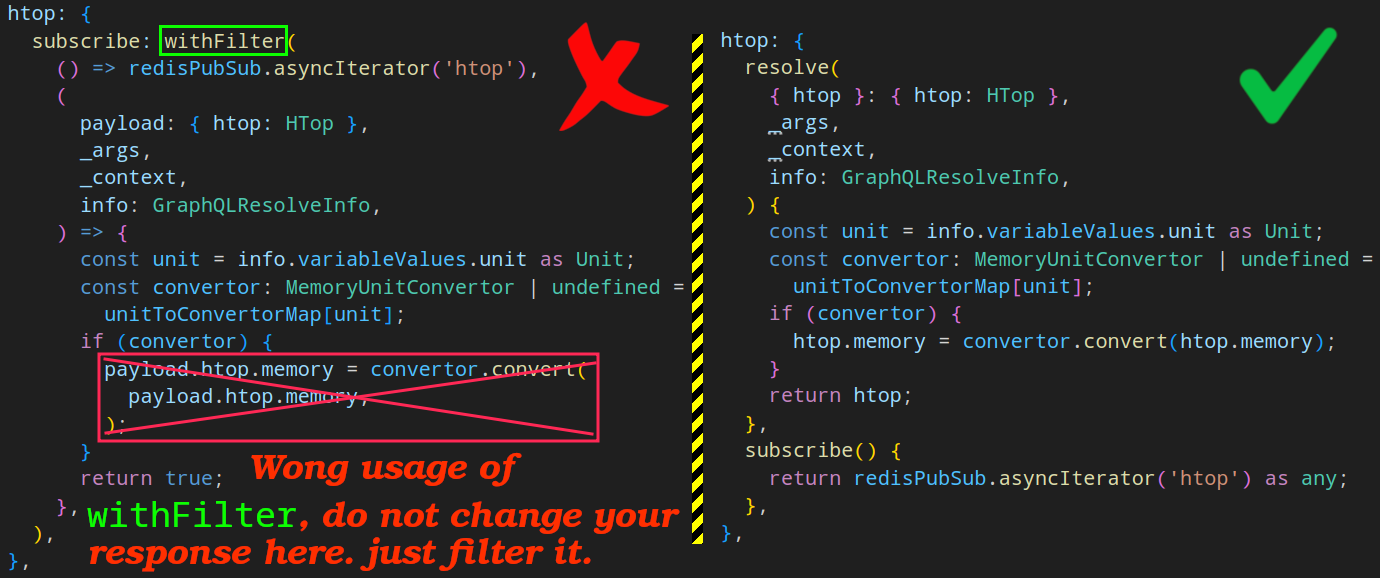
- To filter data you can use
withFilterfunction.- Runs before the
resolvefunction. - Returns early if the filter does NOT pass.
- Accepts two functions:
- The first is your usual subscribe which has to return an
AsyncIteratorobject. - The second function though is where you write extra logic to narrow what should be sent to the client based on their query.
- The first is your usual subscribe which has to return an
- Runs before the
[!TIP]
Here you can see how
withFiltershould NOT be used in AS:
NestJS + Apollo server
- Define a new
Subscription- This name is either:
- Inherited from the name of the subscription handler method (e.g.,
commentAdded). - Is provided explicitly by passing an option with the key name as the second argument to the
@Subscription()decorator.
- Inherited from the name of the subscription handler method (e.g.,
- This name is either:
- Enable subscription in AS.
- We need a 3rd-party lib for it called
graphql-ws.
- We need a 3rd-party lib for it called
- ```diff
GraphQLModule.forRoot
({ driver: ApolloDriver, autoSchemaFile: join(__dirname, 'src', 'schema.gql'), sortSchema: true, - subscriptions: {
- ‘graphql-ws’: true,
- }, }) ```
[!CAUTION]
You cannot use
GqlOptionsFactoryas your return type. It is a generic type and in our case we wanna useApolloServeras our driver, but if you use it then you won’t be able to access properties such assubscriptions: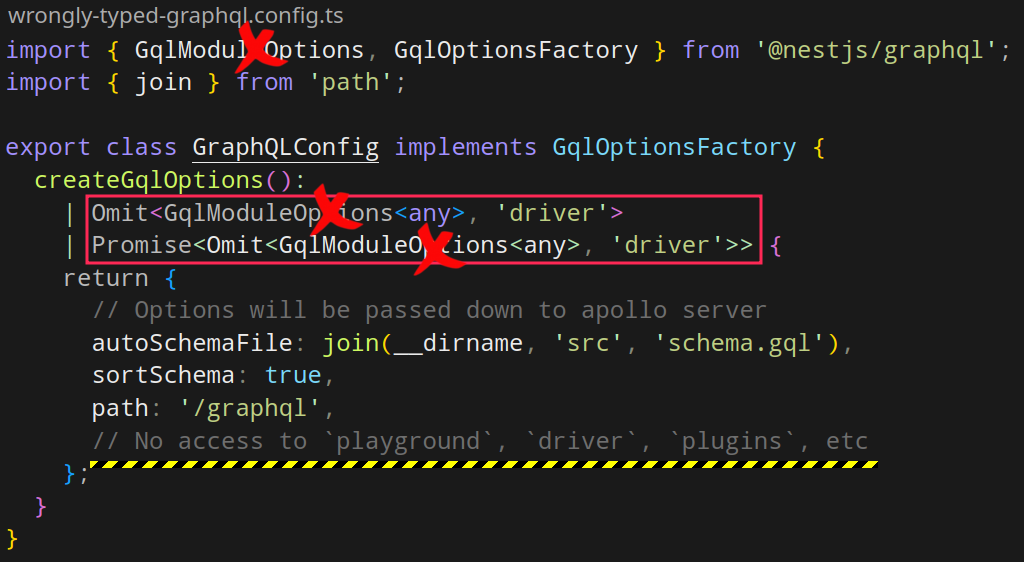
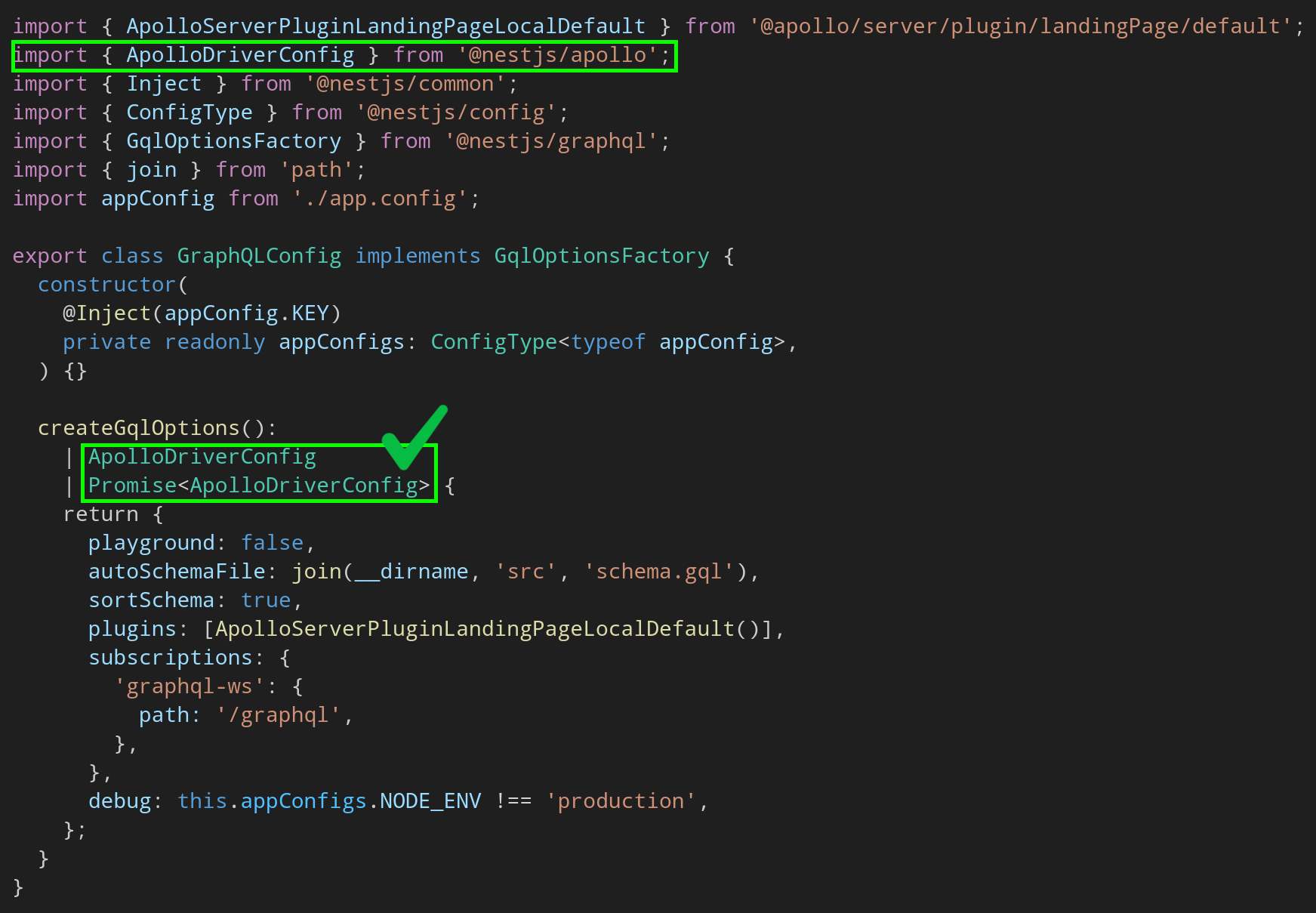
And here is how you do should do it instead:
- Use
@Subscriptionto annotate your handler. -
pnpm add graphql-subscriptions- Provides a simple publish/subscribe API.
- We usually need to back it with an external store such as Redis, or RabbitMQ, or anything other database (See a more complete list here).
-
pnpm add graphql-redis-subscriptions @nestjs/config ioredis class-transformer class-validator - For docker I am using this
composefile. -
cd libs/shared && nest g module pubsub
-
- To publish an event, we use the
pubsub.publishmethod.- Often used within a mutation to trigger a client-side update when a part of the object graph has changed.
- BTW it is also possible to use Javascript function generators instead. Like what we did for
greetsubscription.
- If you need to pass arguments to your field you need to utilize
@ResolveField.- And if you need to access to the response you can use
@Parent.
- And if you need to access to the response you can use